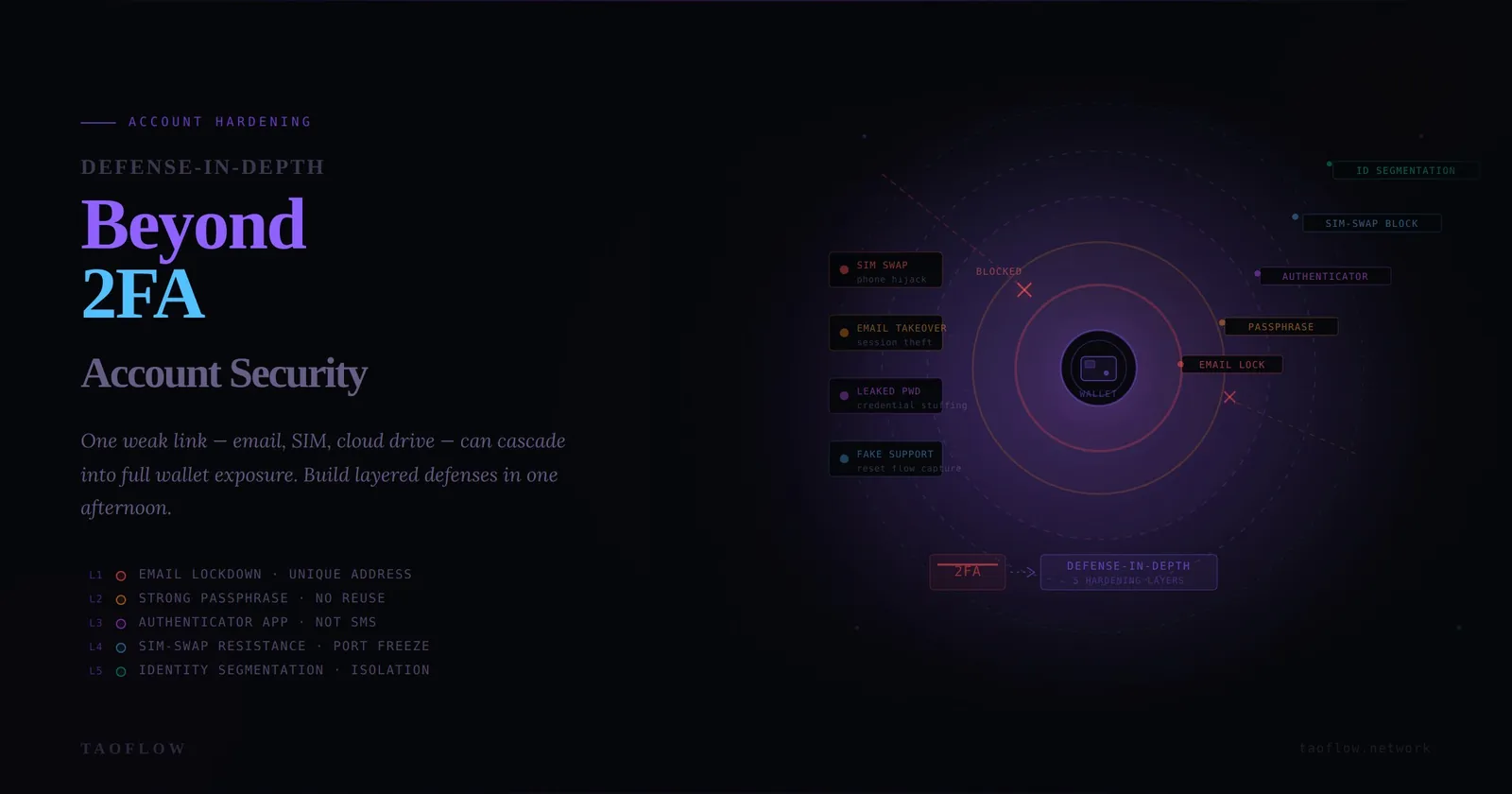
Most crypto losses don’t start with a smart contract exploit. They start with account takeover: stolen email sessions, SIM swaps, leaked passwords, or a fake support chat that captures your reset flow.
If your exchange, email, cloud drive, and phone number are all tied together, one weak link can cascade into full wallet exposure.
This guide gives you a practical defense-in-depth setup you can apply in one afternoon.
Threat model: what attackers actually do
For most individual users, account takeover follows a predictable chain:
- Find an entry point: reused password, phishing page, malware, or social engineering.
- Escalate: hijack email, phone number, or authentication app backup.
- Reset access: trigger password resets on exchange and wallet-related services.
- Monetize fast: withdraw assets, create malicious API keys, or exfiltrate sensitive documents.
Your goal is to break this chain at multiple points, not rely on one control.
The hardening stack (priority order)
1) Secure your email first (it is your root account)
If an attacker controls your primary email, they can usually reset everything else.
Checklist:
- Use a unique password generated by a password manager (20+ chars).
- Enable phishing-resistant MFA if available (passkey or hardware key).
- Remove recovery methods you no longer control.
- Review active sessions and revoke unfamiliar devices.
- Create a dedicated email alias only for exchange and wallet-related accounts.
2) Upgrade from SMS 2FA to stronger factors
SMS is better than nothing, but vulnerable to SIM swap and telecom support fraud.
Preferred order:
- Passkeys (FIDO2/WebAuthn)
- Hardware security key
- Authenticator app (TOTP)
- SMS (last resort)
Checklist:
- Disable SMS-based recovery when platform settings allow it.
- Register two hardware keys (primary + backup in separate location).
- Store backup codes offline, not in email drafts or cloud notes.
3) Segment identities by risk
Do not use one identity for everything.
Practical segmentation:
- Tier A (High value): exchange, custody, primary email, domain registrar.
- Tier B (Operational): social media, newsletters, communities.
- Tier C (Public/throwaway): low-trust signups.
Rules:
- Different passwords and aliases per tier.
- Never reuse recovery phone/email between Tier A and Tier C.
- Keep Tier A accounts off public profiles when possible.
4) Harden mobile carrier exposure (SIM-swap resistance)
Attackers target carriers because phone numbers are still used in recovery flows.
Checklist:
- Add carrier account PIN/passphrase.
- Request “port freeze” / transfer lock.
- Remove phone number from sensitive account recovery where possible.
- Avoid posting your phone number publicly.
- Treat unexpected “No Service” as a high-severity security alert.
5) Lock down session persistence
Many users rotate passwords but forget existing sessions and tokens.
Checklist:
- After any credential change: force logout all devices.
- Revoke app passwords, OAuth grants, old API keys.
- Review “trusted devices” list monthly.
- Disable “stay signed in” on shared or travel devices.
6) Protect your password manager like infrastructure
A password manager can be your strongest control or a single point of failure.
Checklist:
- Long, unique master password.
- Strong MFA on vault account (passkey/hardware key preferred).
- Encrypted offline emergency kit for vault recovery.
- Separate vault or separate collection for high-value crypto credentials.
30-minute monthly audit routine
Run this once per month:
- Check email and exchange recent login history.
- Rotate any weak or reused passwords discovered by vault audit.
- Verify backup MFA factors still work.
- Confirm SIM lock/port freeze status with carrier.
- Revoke unused API keys and active sessions.
- Test your incident contact sheet (who to call, in what order).
If you do only one thing, do this routine consistently.
Fast incident response for suspected account takeover
If you suspect compromise, speed matters more than perfection.
In the first 15 minutes:
- From a known-clean device, change primary email password.
- Revoke all sessions on email + exchange accounts.
- Freeze withdrawals or lock accounts where possible.
- Remove or rotate API keys.
- Contact carrier to verify no SIM transfer is in progress.
In the next 60 minutes:
- Move assets to pre-prepared safe addresses if needed.
- Capture evidence (timestamps, IP logs, transaction IDs).
- Notify relevant platforms with concise timeline.
- Monitor on-chain movements and exchange withdrawal history.
Common mistakes that undo good security
- Reusing one recovery email across all critical services.
- Storing backup codes in the same mailbox they protect.
- Treating 2FA setup as “done forever” instead of periodic maintenance.
- Ignoring dormant sessions and old API keys.
- Mixing personal social identity with high-value account metadata.
Final takeaway
Account security for crypto users is not one setting—it is layered friction in the attacker’s path. Build independent barriers around email, MFA, recovery channels, and sessions.
If you ever need a cleaner network environment for sensitive account maintenance, tools like TaoFlow can be part of your broader OpSec workflow—but the foundation is still identity hardening and disciplined routine checks.