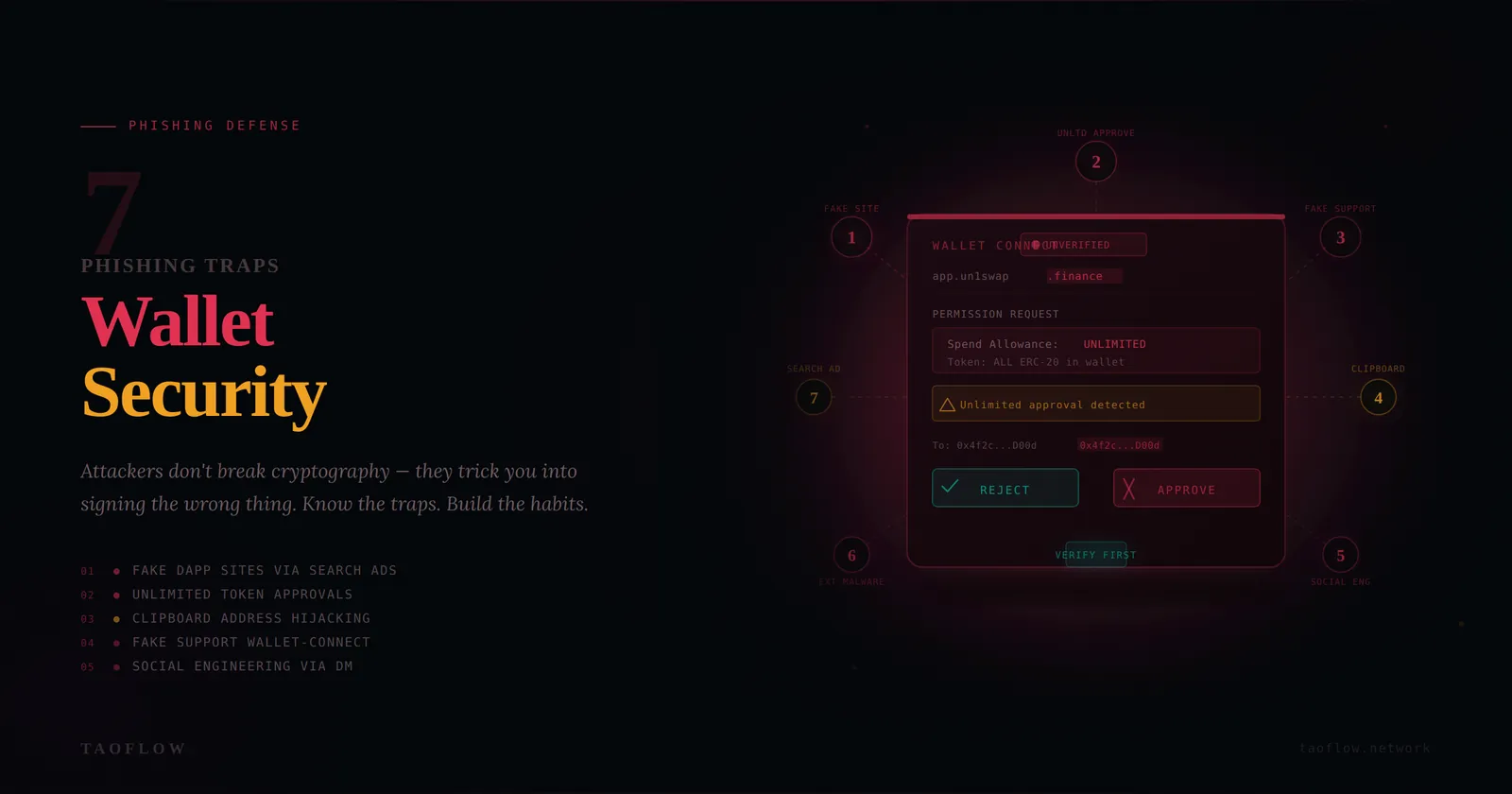
Phishing is still the fastest way to drain a wallet. Most attackers don’t break cryptography—they trick people into signing the wrong thing, on the wrong site, at the wrong moment.
The good news: you don’t need elite technical skills to defend yourself. You need a repeatable workflow.
Below are seven phishing traps that hit crypto users most often, plus concrete habits you can start using today.
First, your threat model in 30 seconds
For most users, the highest-probability risks are:
- Fake websites and search ads that imitate real dApps
- Malicious “Approve” signatures that grant token spending
- Wallet-connect prompts triggered from fake support chats
- Social engineering in X/Telegram/Discord DMs
- Clipboard and browser-extension malware changing addresses
If your routine defends against those five, your risk drops dramatically.
Trap #1: Fake domains that look almost right
How it works: You click a sponsored result or a shared link and land on a clone with one character changed in the URL.
Defense workflow:
- Open key dApps from your own bookmark, not from search.
- Verify full domain spelling before connecting wallet.
- Check TLS lock + cert details if anything feels off.
- If prompted to “reconnect urgently,” close tab and restart from bookmark.
Red flag words: “urgent migration,” “wallet desync,” “claim now or lose access.”
Trap #2: Infinite token approvals hidden behind normal actions
How it works: A transaction appears to be a swap or mint, but actually requests unlimited spend approval.
Defense workflow:
- In wallet, expand transaction details every time.
- Look for
Approve/SetApprovalForAll/ unusually large allowance. - Prefer exact-spend approval when available.
- Revoke stale approvals weekly using trusted revoke tools.
Habit: Treat approvals as permissions, not one-time actions.
Trap #3: Blind signing on hardware/software wallets
How it works: You sign opaque data (“blind sign”) because the app says it is required.
Defense workflow:
- Default to no blind signing.
- If a protocol requires it, reduce risk first: small test amount, fresh session, verified domain.
- Read on-device prompts line by line; never click through quickly.
- If details are unreadable, stop and verify through the protocol’s official docs/status page.
Trap #4: Fake support agents and recovery scams
How it works: Someone posing as support asks for seed phrase, screen share, or asks you to “validate wallet.”
Defense workflow:
- Assume all inbound DMs are untrusted.
- Real support will never need your seed phrase or private key.
- Never install remote-control software for wallet issues.
- Move conversation to official ticket channels you navigate to yourself.
Hard rule: Seed phrase entry belongs only in wallet recovery flow you initiated offline—not in chat, forms, or websites.
Trap #5: Address poisoning and clipboard substitution
How it works: Attackers send tiny transfers from lookalike addresses or malware swaps copied addresses in your clipboard.
Defense workflow:
- Never reuse an address from recent transaction history without verification.
- Compare first 6 and last 6 chars at minimum; for large transfers, verify entire address.
- Save known addresses in an allowlist/contacts with human-readable labels.
- Send a small test transfer before large sends to new destinations.
Trap #6: Malicious browser extensions and fake wallet updates
How it works: A rogue extension injects scripts, alters transaction data, or steals session tokens.
Defense workflow:
- Keep a dedicated browser profile for crypto only.
- Install minimal extensions; remove anything you don’t actively use.
- Update wallets/extensions only from official publisher pages.
- After any extension install/update, run a tiny-value test transaction first.
Trap #7: “Sign this message” prompts that grant hidden power
How it works: Off-chain signatures (e.g., permit-style messages) can authorize token movement or account actions without obvious on-chain prompts.
Defense workflow:
- Treat message signatures with same caution as transactions.
- Read requested permissions, deadlines, spender addresses.
- Refuse signatures with unclear purpose or unlimited scope.
- Keep daily transaction limits in separate hot wallet balances.
The 60-second pre-sign checklist
Before every signature or transaction, ask:
- Did I reach this site from a trusted bookmark?
- Does the domain match exactly?
- Do I understand this action in plain English?
- Are approvals limited to necessary amount and duration?
- Is the destination address verified from a trusted source?
- If this is wrong, is the amount small enough to survive?
If any answer is “no,” stop.
Wallet architecture that reduces blast radius
Use a simple two- (or three-)wallet setup:
- Vault wallet: long-term funds, almost never connects to dApps
- Active wallet: daily DeFi/NFT activity with capped balance
- Burner wallet (optional): unknown mints/new protocols
This won’t prevent every phish, but it prevents one mistake from becoming a total loss.
Incident response if you signed something suspicious
Act fast:
- Revoke approvals immediately.
- Transfer remaining assets to a clean wallet.
- Disconnect wallet sessions in connected apps.
- Rotate critical credentials (email, exchange, SIM PIN, password manager).
- Document tx hashes, timestamps, and affected assets.
- Warn team/community channels if the attack vector is active.
Speed matters more than perfection in the first 15 minutes.
One optional productivity tip
If you use TaoFlow for daily browsing privacy, treat it as one layer in your stack—not a substitute for transaction verification discipline. Most wallet losses happen at the signing step, not the network layer.
Final takeaway
Phishing defense is a behavior problem, not a tool problem.
The users who stay safe are not the ones who never click—they’re the ones who follow the same verification workflow every single time. Build that workflow now, rehearse it when calm, and your odds of avoiding expensive mistakes rise dramatically.